
Orbix 360º

Give a Title to Your Orb

You are unique and so should your Orb! Let's give it a name! It's simple and easy! This option allows you to give your Orb a name that can later be searched for.
  • Published by Orbix360º Support
    on May 14, 2020
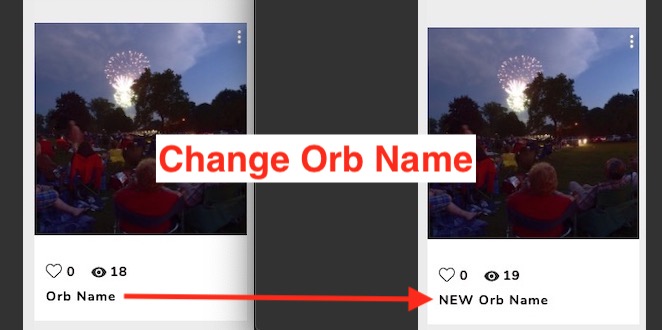
![change orb](//images.ctfassets.net/jrspgrzel116/3onRcPdGa50f9YUhZBZn14/504fa7fd81520e95a92f8226cee8e4bb/changOrbName.jpg) Update the title of your orb by openning the editor in the editor located in the side panel. ![Tutorials Orb-Title 1](//images.ctfassets.net/jrspgrzel116/5LITfAI44mlAI7q8aVLyZn/8e07da8cda4cd946f9d6867bbe4e804e/Tutorials_Orb-Title_1.jpg) This option will allow you to give your Orb a name representive of its unique content. ![naming-orb-2](//images.ctfassets.net/jrspgrzel116/416JMVOTfOhrKnSu9dXIb4/b906b7baf0dc5055d895fa08991e2087/tutorial_images_name-2.jpg) Well done! Last step is to not forget to save! ![tutorial images name-3](//images.ctfassets.net/jrspgrzel116/2VjnisoNNOKpKt3u0zoL82/a7d9804bfd8fe29b7538b0686cc169ca/tutorial_images_name-3.jpg) There you go! If you have any questions, just send us a note: [Click here](https://www.orbix360.com/contact "click here")
Featured Articles
  • thefront
  • NAVIGATE