
Orbix360º Image Upload Types
Orbix360º offers you the possibility of uploading many file types. Don't know exactly which option to choose? Here is a brief explanation of the file types, formats and use.
Published by Jim Prucey
on May 14, 2020
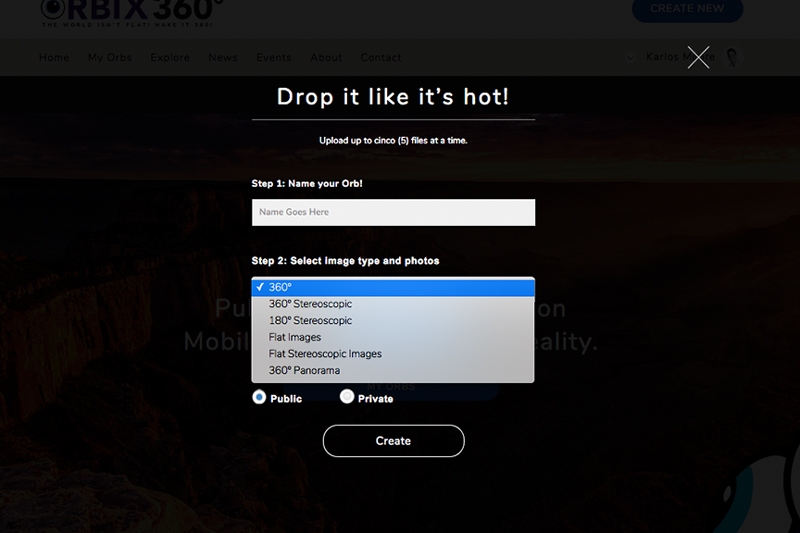
__1. 360º Image__
__Ratio 2:1__
Format: [Equirectangular Projection](https://en.wikipedia.org/wiki/Equirectangular_projection)
Produces a 360 image.
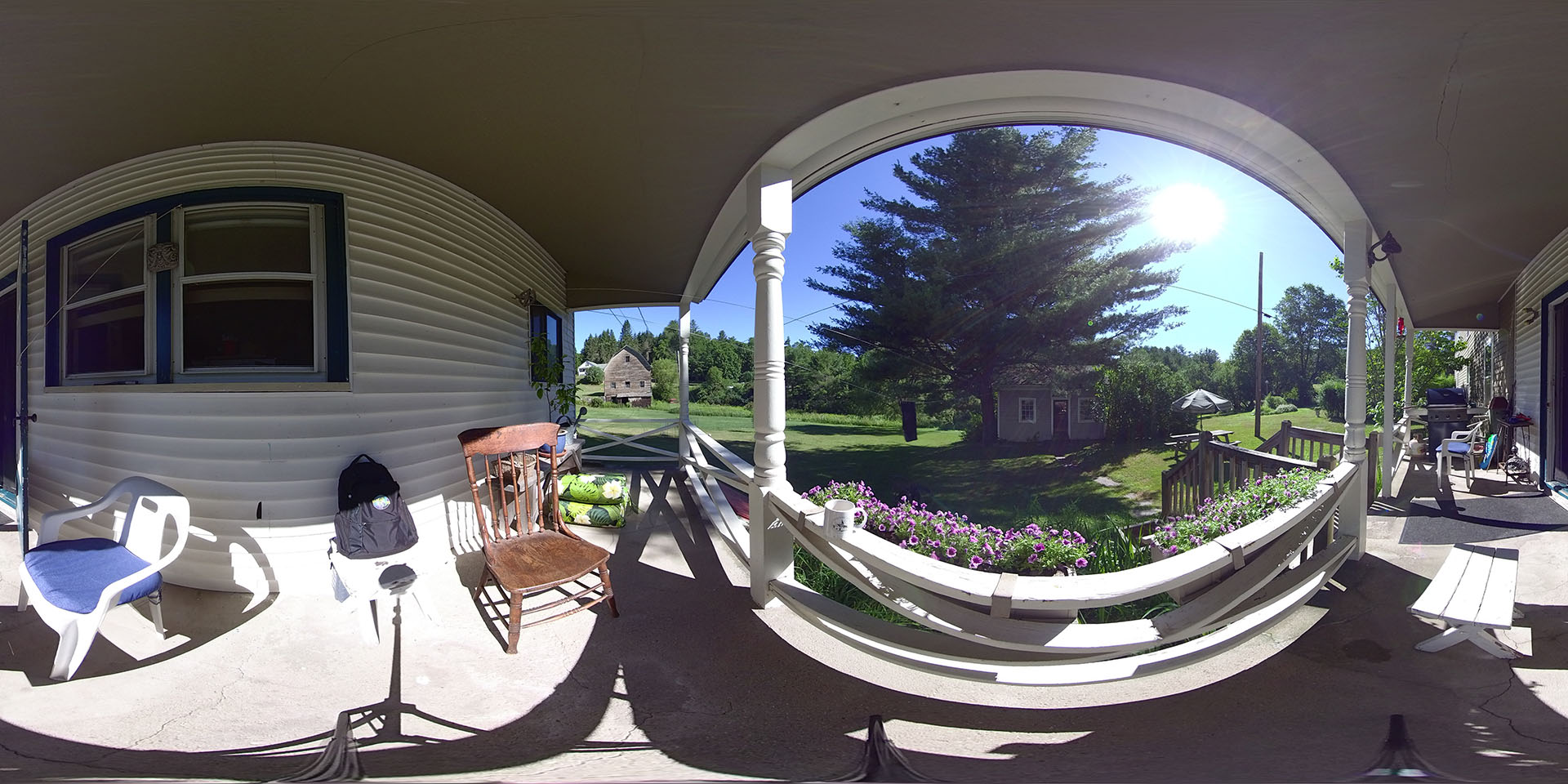Example on [Orbix360.com](https://orbix360.com/t/h8h3eOiMFTVUooRZ86teiHO914m1/5082806862479360/360-equirectangular-example). Download a Equirectangular sample image [here](https://drive.google.com/open?id=1VYumyg25XFrpagacVRb1dfWUsBnO6Sxp).
---
__2. 360º Stereoscopic / 3D__
__Ratio 1:1__
Format: Top/Bottom Equirectangular Projection.
Produces a 360 3d image in VR and can be converted to anaglyph images on desktop.
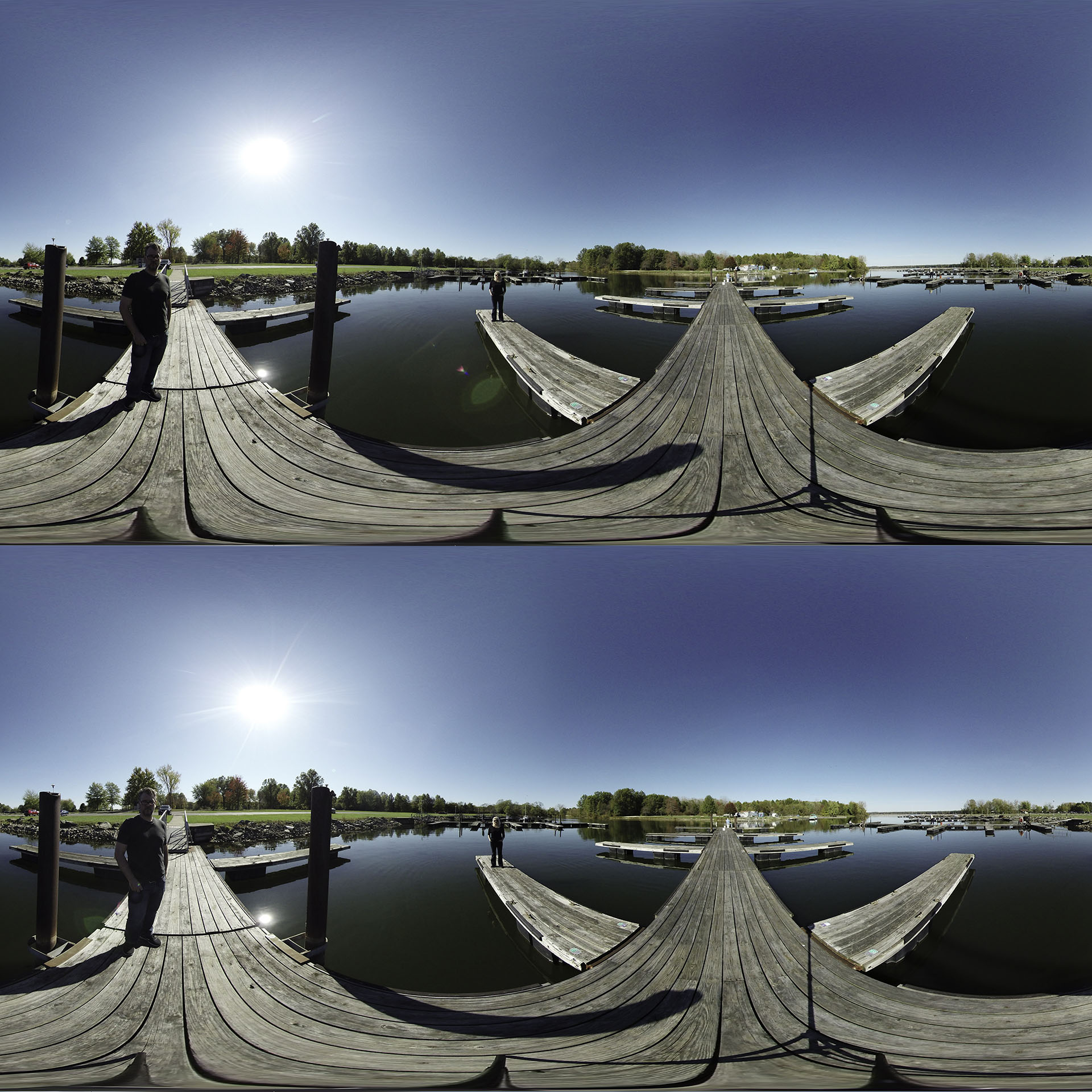 Example on [Orbix360.com](https://orbix360.com/t/h8h3eOiMFTVUooRZ86teiHO914m1/5179594084712448/360-stereoscopic-example). Anaglyph Example on [Orbix360.com](https://orbix360.com/t/h8h3eOiMFTVUooRZ86teiHO914m1/5179594084712448?&anaglyph=yes). Download a 360 Stereoscopic image sample [here](https://drive.google.com/open?id=166xAHKKGAUVMl4jIyG7VC4O_TlcXGXFb).
---
__3. 180º Stereoscopic__
__Ratio 2:1 __
Format: Left/Right Equirectangular Projection.
Produces a 180 3d image in VR and can be converted to anaglyph images on desktop.
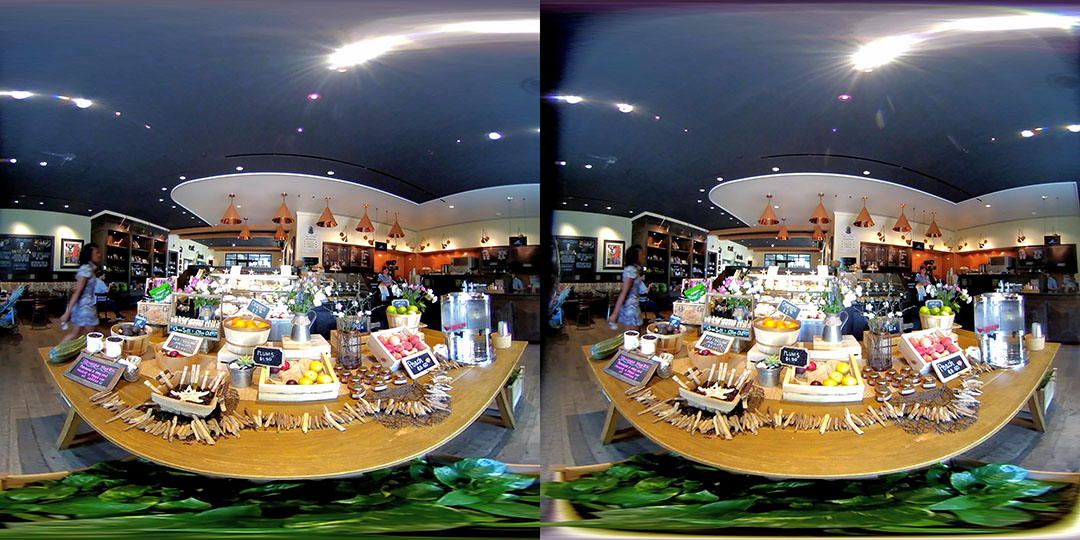
Example on [Orbix360.com](https://orbix360.com/t/h8h3eOiMFTVUooRZ86teiHO914m1/5142235385430016/180-stereoscopic-example). Anaglyph Example on [Orbix360.com](https://orbix360.com/t/h8h3eOiMFTVUooRZ86teiHO914m1/5142235385430016?&anaglyph=yes). Download a 180 Stereoscopic Equirectangular image sample [here](https://drive.google.com/open?id=1gMLzcpKqogpguGdu_cQoTtdsRzla5QWx).
__Note:__ Photo credit 360Rumors.com Taken with a LucidCam
---
__4. Flat images__
__Ratio: Any__
Format: Any Standard image.
Produces a flat image inside a default 360 background, in VR and on desktop.
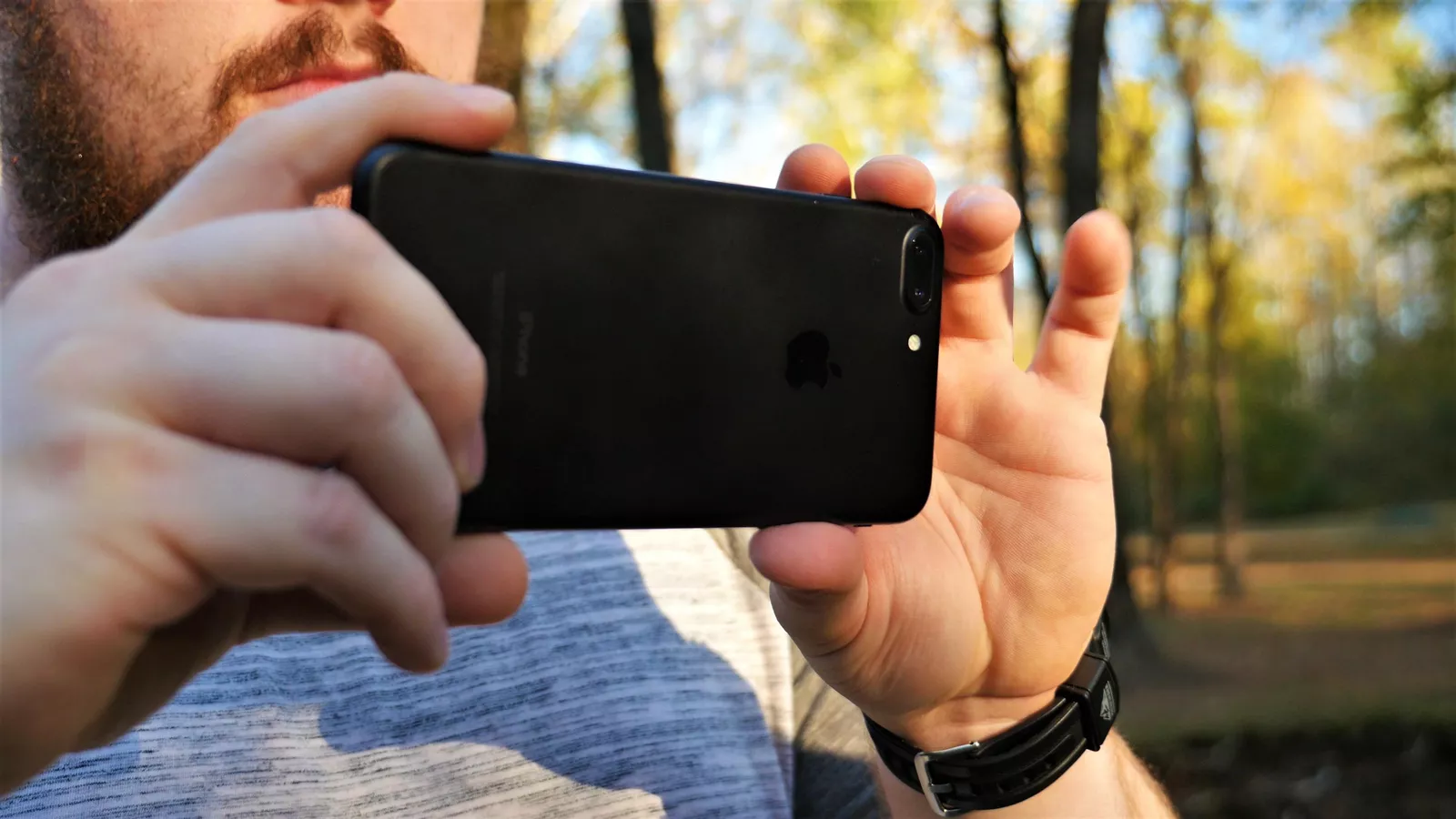Example on [Orbix360.com](https://www.orbix360.com/t/h8h3eOiMFTVUooRZ86teiHO914m1/5085761296662528/flat-images-example?edit=no). Download a Flat image sample [here](https://drive.google.com/open?id=132sHr_eRzjemGHVOW1vLrw-_YiNWd_ww).
__Note:__ Upload up to 5 flat images at once
---
__5. Flat Stereoscopic__
__Ratio: Any, standard is best. 1:1 3:2 4:3 16:9__ (Will vary depending on left right pairs)
Format: Any Standard image.
Produces a flat 3d Stereo image inside a default 360 background, in VR and on desktop.
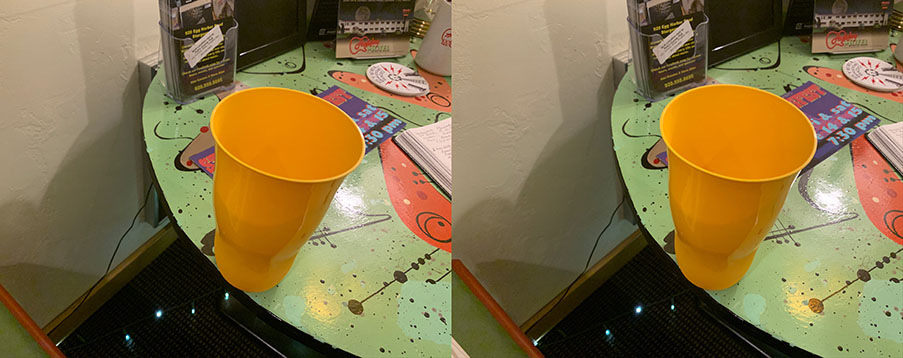 Example on [Orbix360.com](https://www.orbix360.com/t/h8h3eOiMFTVUooRZ86teiHO914m1/5101793973370880/flat-stereoscopic-example?edit=no) Download a Flat Stereoscopic image sample [here](https://drive.google.com/open?id=11bUH_4CeBlQF42vvJNVfei0JkDD1kbQ5).
__Note:__ This image was made on an iPhone using [3d Photo APP](https://apps.apple.com/cz/app/3d-photo-stereo-photo-maker/id1364981409).
__Note:__ Upload up to 5 flat stereoscopic images at once.
---
__6. 360º Panorama__
__Ratio: Varies__ (use [Cardboard Camera App](https://apps.apple.com/us/app/cardboard-camera/id1095487294))
Format: 360 Pano
Produces Produces a 360 Panorama image in VR and on desktop. For best results use full 360 panos.
 Example on [Orbix360.com.](https://www.orbix360.com/t/h8h3eOiMFTVUooRZ86teiHO914m1/4793492899364864/360-panorama-example). Download a 360 Panorama image sample [here](https://drive.google.com/open?id=1TDOOu0NT6eeo100nZ-_AmnAw52yoWZ63).
__Note:__ This image was made on an iPhone using [Cardboard Camera App](https://apps.apple.com/us/app/cardboard-camera/id1095487294).
---
Still have questions? email: [contact@orbix360.com](mailto://contact@orbix360.com)